sensor-mixin
Text Sensor Parameters (Partial)
Configuration parameters
- icon: Icon to use for the sensor in the frontend.
- internal: Mark this component as internal. Internal components will not be exposed to the frontend (like Home Assistant).
- on_value: (optional, automation) An automation to perform when a new value is published.
Binary Sensor Parameters (Partial)
Configuration parameters
- device_class: The device class for the sensor. See https://www.home-assistant.io/components/binary_sensor/ for a list of available options.
- internal: Mark this component as internal. Internal components will not be exposed to the frontend (like Home Assistant).
- on_press: (optional, automation) An automation to perform when the button is pressed.
- on_release: (optional, automation) An automation to perform when the button is released.
Numeric Sensor Parameters (Partial)
Configuration parameters
- unit_of_measurement: (optional, string) Unit of measurement the sensor should advertise its values with.
- icon: Icon to use for the sensor in the frontend.
- accuracy_decimals: (optional, int) Accuracy of decimals to use when reporting values.
- expire_after: Time in which the sensor values should be marked as “expired”.
- filters: Filters to use for some basic transforming of values.
- internal: Mark this component as internal. Internal components will not be exposed to the frontend (like Home Assistant).
- on_value: (optional, automation) An automation to perform when a new value is published.
- on_value_range: (optional, automation) An automation to perform when a published value transition from outside to a range to inside.
- on_raw_value: (optional, automation) An automation to perform when a raw value is received that hasn’t passed through any filters.
Numeric Polling Sensor Parameters (Partial)
Configuration parameters
- update_interval: (optional, string) The interval to check the sensor. Defaults to 60s.
- unit_of_measurement: (optional, string) Unit of measurement the sensor should advertise its values with.
- icon: Icon to use for the sensor in the frontend.
- accuracy_decimals: (optional, int) Accuracy of decimals to use when reporting values.
- expire_after: Time in which the sensor values should be marked as “expired”.
- filters: Filters to use for some basic transforming of values.
- on_value: (optional, automation) An automation to perform when a new value is published.
- on_value_range: (optional, automation) An automation to perform when a published value transition from outside to a range to inside.
- on_raw_value: (optional, automation) An automation to perform when a raw value is received that hasn’t passed through any filters.
I²C Device Parameters (Partial)
Configuration parameters
- bus: ID for this I²C bus if you need multiple I²C buses. Defaults to i2c_1.
- address: I²C address of the sensor.
ADC Analog To Digital Sensor
The Analog To Digital sensor allows you to use the built-in ADC in your device to measurea voltage on certain pins. On the ESP8266 only pin A0 (GPIO17) supports this. On the ESP32pins GPIO32 through GPIO39 can be used.
More information
- documentation: https://esphome.io/components/sensor/adc.html
Configuration parameters
- name: (required) The name of the voltage sensor.
- pin: (required) The pin to measure the voltage on. Or on the ESP8266 alternatively also VCC.
- attenuation: Specify the ADC attenuation to use. Only on ESP32.
Sample configurations
adc_sensor_chip_vcc
Source configuration:
1 2 3 4 5 6 7 | device:
adc_sensor_chip_vcc:
board: nodemcuv2
mixins:
- kind: adc_sensor
name: test_sensor
pin: VCC
|
The rendered configuration:
1 2 3 4 5 6 7 8 9 10 11 12 | esphome:
board: nodemcuv2
name: adc_sensor_chip_vcc
platform: ESP8266
logger:
esp8266_store_log_strings_in_flash: false
level: DEBUG
sensor:
- name: test_sensor_voltage
pin: VCC
platform: adc
update_interval: 5s
|
adc_sensor_multiply_filter
Source configuration:
1 2 3 4 5 6 7 8 9 | device:
adc_sensor_multiply_filter:
board: nodemcuv2
mixins:
- filters:
- multiply: 3.3
kind: adc_sensor
name: test_sensor
pin: 17
|
The rendered configuration:
1 2 3 4 5 6 7 8 9 10 11 12 13 14 | esphome:
board: nodemcuv2
name: adc_sensor_multiply_filter
platform: ESP8266
logger:
esp8266_store_log_strings_in_flash: false
level: DEBUG
sensor:
- filters:
- multiply: 3.3
name: test_sensor_voltage
pin: 17
platform: adc
update_interval: 5s
|
adc_sensor_basic_esp8266
Source configuration:
1 2 3 4 5 6 7 | device:
adc_sensor_basic_esp8266:
board: nodemcuv2
mixins:
- kind: adc_sensor
name: test_sensor
pin: A0
|
The rendered configuration:
1 2 3 4 5 6 7 8 9 10 11 12 | esphome:
board: nodemcuv2
name: adc_sensor_basic_esp8266
platform: ESP8266
logger:
esp8266_store_log_strings_in_flash: false
level: DEBUG
sensor:
- name: test_sensor_voltage
pin: A0
platform: adc
update_interval: 5s
|
AJ-SR04M Ultrasonic Distance Sensor
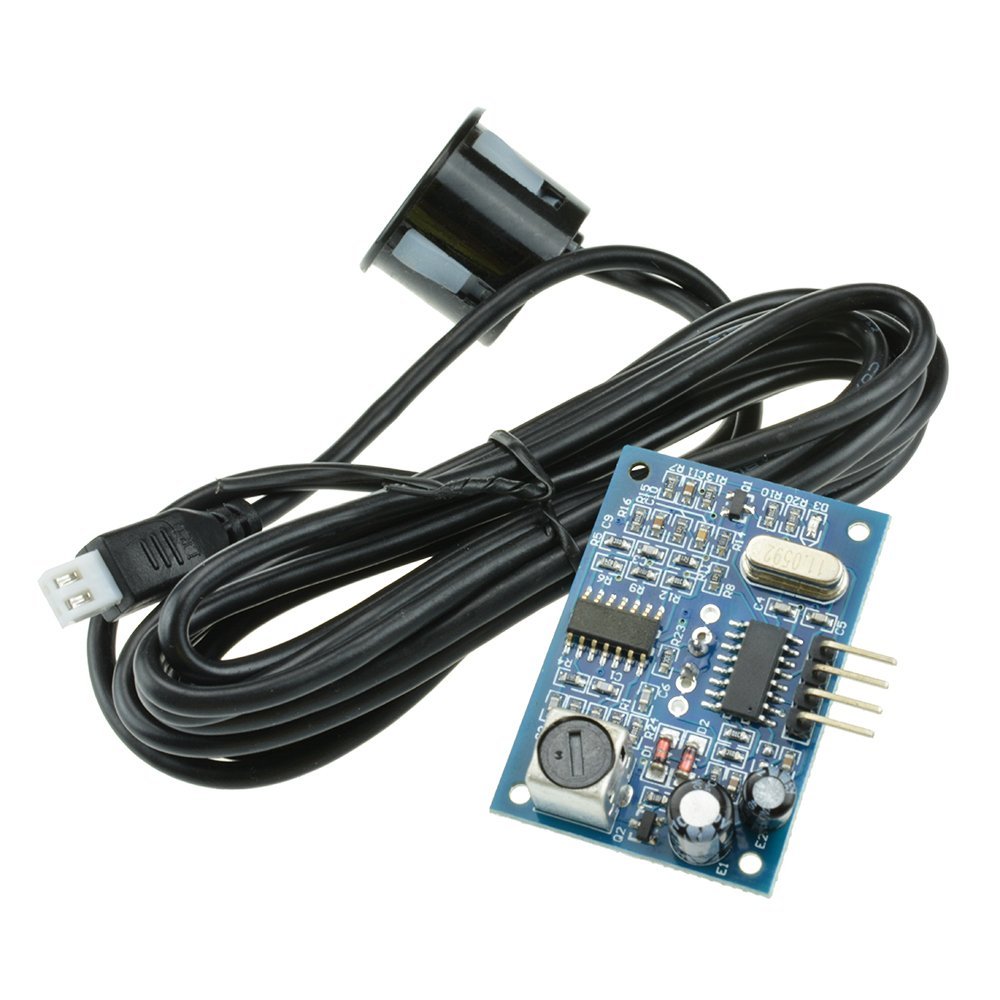
More information
- documentation: https://esphome.io/components/sensor/ultrasonic.html
Configuration parameters
- name: (required) The name of the distance sensor.
- trigger_pin: (required) The output pin to periodically send the trigger pulse to.
- echo_pin: (required) The input pin on which to wait for the echo.
Sample configurations
aj_sr04m_sensor_basic_esp8266
Source configuration:
1 2 3 4 5 6 7 8 | device:
aj_sr04m_sensor_basic_esp8266:
board: nodemcuv2
mixins:
- echo_pin: D1
kind: aj_sr04m_sensor
name: test_sensor
trigger_pin: D2
|
The rendered configuration:
1 2 3 4 5 6 7 8 9 10 11 12 13 | esphome:
board: nodemcuv2
name: aj_sr04m_sensor_basic_esp8266
platform: ESP8266
logger:
esp8266_store_log_strings_in_flash: false
level: DEBUG
sensor:
- echo_pin: D1
name: test_sensor_distance
platform: ultrasonic
trigger_pin: D2
update_interval: 5s
|
AM2302 Humidity and Temperature Sensor
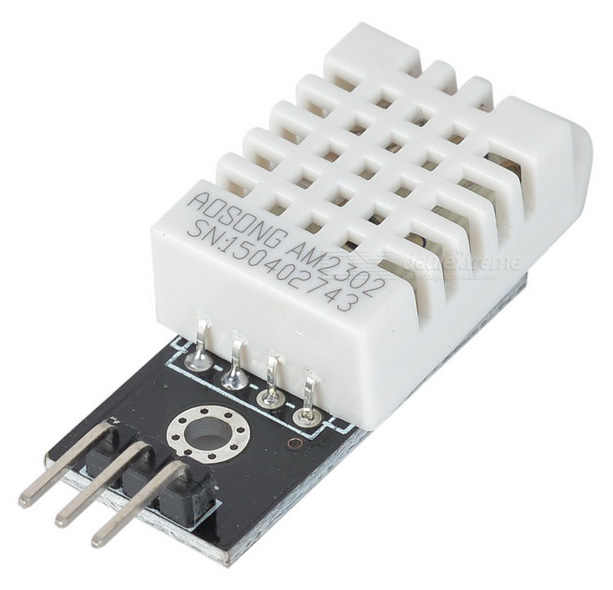
More information
Configuration parameters
- name: (required) The name of the sensor.
- pin: (required) The pin where the DHT bus is connected.
Sample configurations
am2302_sensor_basic_esp8266
Source configuration:
1 2 3 4 5 6 7 | device:
am2302_sensor_basic_esp8266:
board: d1_mini_pro
mixins:
- kind: am2302_sensor
name: test_sensor
pin: D5
|
The rendered configuration:
1 2 3 4 5 6 7 8 9 10 11 12 13 14 15 16 | esphome:
board: d1_mini_pro
name: am2302_sensor_basic_esp8266
platform: ESP8266
logger:
esp8266_store_log_strings_in_flash: false
level: DEBUG
sensor:
- humidity:
name: test_sensor_humidity
model: AM2302
pin: D5
platform: dht
temperature:
name: test_sensor_temperature
update_interval: 5s
|
AM2320 Temperature and Humidity Sensor

The AM2320 is effectively the latest version of the AM2302 with the addition of an option to communicate over I2C interface. It is physically a little smaller, but with identical pin-out. The one-wire serial of the AM2302 is retained making this a simple drop-in replacement.
More information
- documentation: https://esphome.io/components/sensor/am2320.html
- datasheet: https://akizukidenshi.com/download/ds/aosong/AM2320.pdf
Configuration parameters
- name: (required) The name of the sensor.
- address: I²C address of the sensor. Defaults to 0x40.
Sample configurations
am2320_sensor_basic_esp8266
Source configuration:
1 2 3 4 5 6 7 8 9 10 | device:
am2320_sensor_basic_esp8266:
board: d1_mini_pro
mixins:
- clock_pin: GPIO5
data_pin: GPIO4
id: i2c_1
kind: i2c_bus
- kind: am2320_sensor
name: test_sensor
|
The rendered configuration:
1 2 3 4 5 6 7 8 9 10 11 12 13 14 15 16 17 18 19 20 | esphome:
board: d1_mini_pro
name: am2320_sensor_basic_esp8266
platform: ESP8266
i2c:
- id: i2c_1
scan: true
scl: GPIO5
sda: GPIO4
logger:
esp8266_store_log_strings_in_flash: false
level: DEBUG
sensor:
- address: '0x40'
humidity:
name: test_sensor_humidity
platform: am2320
temperature:
name: test_sensor_temperature
update_interval: 5s
|
BH1750 Ambient Light Sensor

Power supply: 3~5V; Data range: 0-65535; Sensor built-in and 16bitAD converter; Direct digital output, bypassing the complicated calculation, omit calibration; Do not distinguish between ambient light; Close to the visual sensitivity of spectral characteristics; For a wide range of brightness for 1 lux high precision measurement.
More information
- documentation: https://esphome.io/components/sensor/bh1750.html
- datasheet: http://www.mouser.com/ds/2/348/bh1750fvi-e-186247.pdf
Configuration parameters
- name: (required) The name of the light sensor.
- resolution: The resolution of the sensor in lx. One of 4.0, 1.0, 0.5. Defaults to 0.5 (the maximum resolution).
- address: I²C address of the sensor. Defaults to 0x23 (address if address pin is pulled low). If the address pin is pulled high, the address is 0x5C.
Sample configurations
bh1750_sensor_basic_esp8266
Source configuration:
1 2 3 4 5 6 7 8 9 10 11 | device:
bh1750_sensor_basic_esp8266:
board: nodemcuv2
mixins:
- clock_pin: GPIO5
data_pin: GPIO4
id: i2c_1
kind: i2c_bus
- bus: i2c_1
kind: bh1750_sensor
name: test_sensor
|
The rendered configuration:
1 2 3 4 5 6 7 8 9 10 11 12 13 14 15 16 17 18 19 20 | esphome:
board: nodemcuv2
name: bh1750_sensor_basic_esp8266
platform: ESP8266
i2c:
- id: i2c_1
scan: true
scl: GPIO5
sda: GPIO4
logger:
esp8266_store_log_strings_in_flash: false
level: DEBUG
sensor:
- address: '0x23'
i2c_id: i2c_1
id: test_sensor_light_intensity
name: test_sensor_light_intensity
platform: bh1750
resolution: '0.5'
update_interval: 5s
|
CCS811 CO₂ and Volatile Organic Compound Sensor


More information
- documentation: https://esphome.io/components/sensor/ccs811.html
Configuration parameters
- name: (required) The name of the sensor.
- address: I²C address of the sensor. Defaults to 0x5A.
Sample configurations
ccs811_sensor_basic_esp32
Source configuration:
1 2 3 4 5 6 7 8 9 10 11 | device:
ccs811_sensor_basic_esp32:
board: nodemcu-32s
mixins:
- clock_pin: GPIO22
data_pin: GPIO21
id: i2c_1
kind: i2c_bus
- bus: i2c_1
kind: ccs811_sensor
name: test_sensor
|
The rendered configuration:
1 2 3 4 5 6 7 8 9 10 11 12 13 14 15 16 17 18 19 20 21 22 23 24 | esphome:
board: nodemcu-32s
name: ccs811_sensor_basic_esp32
platform: ESP32
i2c:
- id: i2c_1
scan: true
scl: GPIO22
sda: GPIO21
logger:
level: DEBUG
sensor:
- address: '0x5a'
eco2:
accuracy_decimals: 1
id: test_sensor_eco2
name: test_sensor_eco2
i2c_id: i2c_1
platform: ccs811
tvoc:
accuracy_decimals: 1
id: test_sensor_tvoc
name: test_sensor_tvoc
update_interval: 5s
|
ccs811_sensor_basic_esp8266
Source configuration:
1 2 3 4 5 6 7 8 9 10 11 | device:
ccs811_sensor_basic_esp8266:
board: nodemcuv2
mixins:
- clock_pin: GPIO5
data_pin: GPIO4
id: i2c_1
kind: i2c_bus
- bus: i2c_1
kind: ccs811_sensor
name: test_sensor
|
The rendered configuration:
1 2 3 4 5 6 7 8 9 10 11 12 13 14 15 16 17 18 19 20 21 22 23 24 25 | esphome:
board: nodemcuv2
name: ccs811_sensor_basic_esp8266
platform: ESP8266
i2c:
- id: i2c_1
scan: true
scl: GPIO5
sda: GPIO4
logger:
esp8266_store_log_strings_in_flash: false
level: DEBUG
sensor:
- address: '0x5a'
eco2:
accuracy_decimals: 1
id: test_sensor_eco2
name: test_sensor_eco2
i2c_id: i2c_1
platform: ccs811
tvoc:
accuracy_decimals: 1
id: test_sensor_tvoc
name: test_sensor_tvoc
update_interval: 5s
|
DS18B20 Temperature Sensor


The DS18B20 is a rather useful sensor because you can read more than one of them using the same GPIO pin. Device is able to recognise the input from each separate sensor.
More information
- documentation: https://esphome.io/components/sensor/dallas.html
Configuration parameters
- name: (required) The name of the sensor.
- address: (required, int) The address of the sensor.
- bus: (optional, id) The ID of the dallas hub. Use this if you have multiple dallas hubs.
- resolution: (optional, int) An optional resolution from 8 to 12. Higher means more accurate. Defaults to the maximum for most Dallas temperature sensors: 12.
Sample configurations
dallas_ds18_sensor_multiple_buses
Source configuration:
1 2 3 4 5 6 7 8 9 10 11 12 13 14 15 16 17 18 | device:
dallas_ds18_sensor_multiple_buses:
board: nodemcuv2
mixins:
- id: dallas_1
kind: dallas_bus
pin: D1
- id: dallas_2
kind: dallas_bus
pin: D2
- address: 2017612646464694824
bus: dallas_1
kind: dallas_ds18_sensor
name: test_sensor_1
- address: 2017612646464694808
bus: dallas_2
kind: dallas_ds18_sensor
name: test_sensor_2
|
The rendered configuration:
1 2 3 4 5 6 7 8 9 10 11 12 13 14 15 16 17 18 19 20 21 22 23 | dallas:
- id: dallas_1
pin: D1
- id: dallas_2
pin: D2
esphome:
board: nodemcuv2
name: dallas_ds18_sensor_multiple_buses
platform: ESP8266
logger:
esp8266_store_log_strings_in_flash: false
level: DEBUG
sensor:
- address: 2017612646464694784
dallas_id: dallas_1
name: test_sensor_1
platform: dallas
resolution: 12
- address: 2017612646464694784
dallas_id: dallas_2
name: test_sensor_2
platform: dallas
resolution: 12
|
dallas_ds18_sensor_basic_esp8266
Source configuration:
1 2 3 4 5 6 7 8 9 10 11 | device:
dallas_ds18_sensor_basic_esp8266:
board: nodemcuv2
mixins:
- id: dallas_1
kind: dallas_bus
pin: D1
- address: 2017612646464694824
bus: dallas_1
kind: dallas_ds18_sensor
name: test_sensor
|
The rendered configuration:
1 2 3 4 5 6 7 8 9 10 11 12 13 14 15 16 | dallas:
- id: dallas_1
pin: D1
esphome:
board: nodemcuv2
name: dallas_ds18_sensor_basic_esp8266
platform: ESP8266
logger:
esp8266_store_log_strings_in_flash: false
level: DEBUG
sensor:
- address: 2017612646464694784
dallas_id: dallas_1
name: test_sensor
platform: dallas
resolution: 12
|
dallas_ds18_sensor_multiple_sensors
Source configuration:
1 2 3 4 5 6 7 8 9 10 11 12 13 14 15 | device:
dallas_ds18_sensor_multiple_sensors:
board: nodemcuv2
mixins:
- id: dallas_1
kind: dallas_bus
pin: D1
- address: 2017612646464694824
bus: dallas_1
kind: dallas_ds18_sensor
name: test_sensor_1
- address: 2017612646464694808
bus: dallas_1
kind: dallas_ds18_sensor
name: test_sensor_2
|
The rendered configuration:
1 2 3 4 5 6 7 8 9 10 11 12 13 14 15 16 17 18 19 20 21 | dallas:
- id: dallas_1
pin: D1
esphome:
board: nodemcuv2
name: dallas_ds18_sensor_multiple_sensors
platform: ESP8266
logger:
esp8266_store_log_strings_in_flash: false
level: DEBUG
sensor:
- address: 2017612646464694784
dallas_id: dallas_1
name: test_sensor_1
platform: dallas
resolution: 12
- address: 2017612646464694784
dallas_id: dallas_1
name: test_sensor_2
platform: dallas
resolution: 12
|
DHT11 Humidity and Temperature Sensor
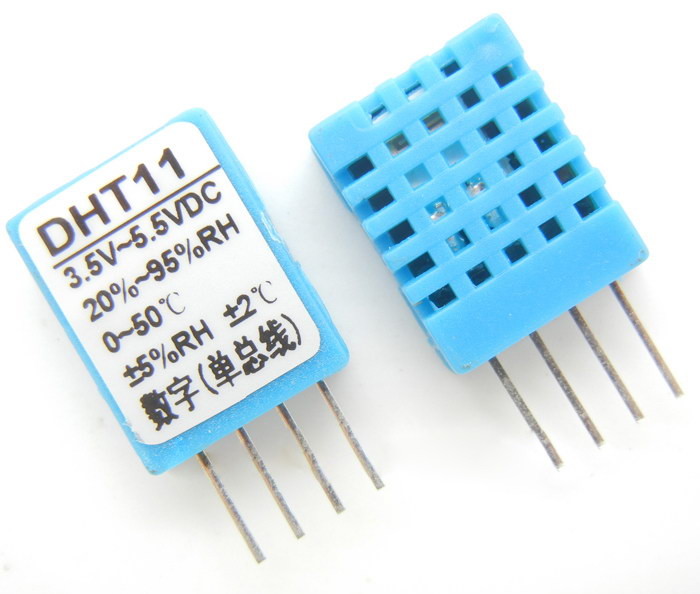
The DHT11 is a basic, ultra low-cost digital temperature and humidity sensor. It uses a capacitive humidity sensor and a thermistor to measure the surrounding air, and spits out a digital signal on the data pin (no analog input pins needed). Its fairly simple to use, but requires careful timing to grab data. The only real downside of this sensor is you can only get new data from it once every 2 seconds, so when using, sensor readings can be up to 2 seconds old.
More information
- documentation: https://esphome.io/components/sensor/dht.html
Configuration parameters
- name: (required) The name of the sensor.
- pin: (required) The pin where the DHT bus is connected.
Sample configurations
dht11_sensor_basic_esp8266
Source configuration:
1 2 3 4 5 6 7 | device:
dht11_sensor_basic_esp8266:
board: d1_mini_pro
mixins:
- kind: dht11_sensor
name: test_sensor
pin: D5
|
The rendered configuration:
1 2 3 4 5 6 7 8 9 10 11 12 13 14 15 16 | esphome:
board: d1_mini_pro
name: dht11_sensor_basic_esp8266
platform: ESP8266
logger:
esp8266_store_log_strings_in_flash: false
level: DEBUG
sensor:
- humidity:
name: test_sensor_humidity
model: DHT11
pin: D5
platform: dht
temperature:
name: test_sensor_temperature
update_interval: 5s
|
DHT22 Humidity and Temperature Sensor
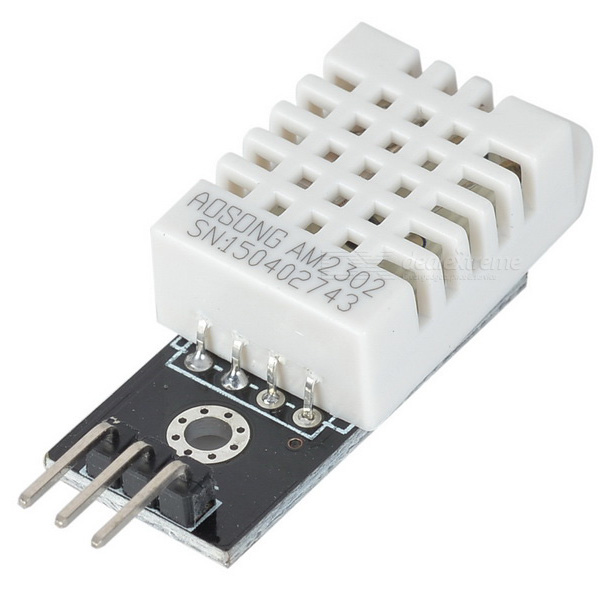
The DHT22 is a basic, low-cost digital temperature and humidity sensor. It uses a capacitive humidity sensor and a thermistor to measure the surrounding air, and spits out a digital signal on the data pin (no analog input pins needed). Compared to the DHT11, this sensor is more precise, more accurate and works in a bigger range of temperature/humidity, but its larger and more expensive.
More information
Configuration parameters
- name: (required) The name of the sensor.
- pin: (required) The pin where the DHT bus is connected.
Sample configurations
dht22_sensor_basic_esp8266
Source configuration:
1 2 3 4 5 6 7 | device:
dht22_sensor_basic_esp8266:
board: d1_mini_pro
mixins:
- kind: dht22_sensor
name: test_sensor
pin: D5
|
The rendered configuration:
1 2 3 4 5 6 7 8 9 10 11 12 13 14 15 16 | esphome:
board: d1_mini_pro
name: dht22_sensor_basic_esp8266
platform: ESP8266
logger:
esp8266_store_log_strings_in_flash: false
level: DEBUG
sensor:
- humidity:
name: test_sensor_humidity
model: DHT22
pin: D5
platform: dht
temperature:
name: test_sensor_temperature
update_interval: 5s
|
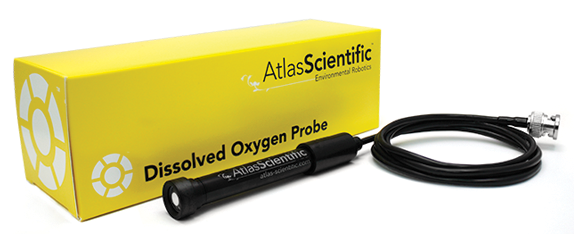
Atlas-Scientific EZO Dissolved Oxygen Sensor
More information
Configuration parameters
- name: (required) The name of the sensor.
- address: I²C address of the sensor. Defaults to 0x63.
Sample configurations
ezo_do_sensor_basic_esp8266
Source configuration:
1 2 3 4 5 6 7 8 9 10 11 12 13 | device:
ezo_do_sensor_basic_esp8266:
board: nodemcuv2
mixins:
- clock_pin: GPIO5
data_pin: GPIO4
id: i2c_1
kind: i2c_bus
- address: 97
bus: i2c_1
kind: ezo_do_sensor
name: test_sensor
update_interval: 10s
|
The rendered configuration:
1 2 3 4 5 6 7 8 9 10 11 12 13 14 15 16 17 18 19 20 21 22 23 24 25 26 27 28 29 30 | esphome:
board: nodemcuv2
includes:
- ../includes/ezo_do.h
libraries:
- Ezo_I2c_lib
name: ezo_do_sensor_basic_esp8266
platform: ESP8266
i2c:
- id: i2c_1
scan: true
scl: GPIO5
sda: GPIO4
logger:
esp8266_store_log_strings_in_flash: false
level: DEBUG
sensor:
- lambda: 'auto ezo_do_sensor = new EzoDoSensor(10000, 0x61);
App.register_component(ezo_do_sensor);
return {ezo_do_sensor};
'
platform: custom
sensors:
- accuracy_decimals: 2
id: test_sensor_dissolved_oxygen
name: test_sensor_dissolved_oxygen
unit_of_measurement: mg/L
|
Atlas-Scientific EZO EC Sensor

More information
Configuration parameters
- name: (required) The name of the sensor.
- address: I²C address of the sensor. Defaults to 0x64.
Sample configurations
ezo_ec_sensor_basic_esp8266
Source configuration:
1 2 3 4 5 6 7 8 9 10 11 12 13 | device:
ezo_ec_sensor_basic_esp8266:
board: nodemcuv2
mixins:
- clock_pin: GPIO5
data_pin: GPIO4
id: i2c_1
kind: i2c_bus
- address: 100
bus: i2c_1
kind: ezo_ec_sensor
name: test_sensor
update_interval: 10s
|
The rendered configuration:
1 2 3 4 5 6 7 8 9 10 11 12 13 14 15 16 17 18 19 20 21 22 23 24 25 26 27 28 29 30 31 32 33 34 | esphome:
board: nodemcuv2
includes:
- ../includes/ezo_ec.h
libraries:
- Ezo_I2c_lib
name: ezo_ec_sensor_basic_esp8266
platform: ESP8266
i2c:
- id: i2c_1
scan: true
scl: GPIO5
sda: GPIO4
logger:
esp8266_store_log_strings_in_flash: false
level: DEBUG
sensor:
- lambda: "auto ezo_ec_sensor = new EzoEcSensor(10000, 0x64);\nApp.register_component(ezo_ec_sensor);\n\
return {\n ezo_ec_sensor->ec_sensor,\n ezo_ec_sensor->tds_sensor,\n ezo_ec_sensor->s_sensor,\n\
\ ezo_ec_sensor->sg_sensor\n};\n"
platform: custom
sensors:
- icon: mdi:flower
id: test_sensor_electrical_conductivity
name: test_sensor_electrical_conductivity
unit_of_measurement: uS/cm
- id: test_sensor_total_dissolved_solids
name: test_sensor_total_dissolved_solids
unit_of_measurement: ppm
- id: test_sensor_salinity
name: test_sensor_salinity
unit_of_measurement: ppt
- name: test_sensor_specific_gravity
unit_of_measurement: g/cm3
|
Atlas-Scientific EZO ORP Sensor

More information
Configuration parameters
- name: (required) The name of the sensor.
- address: I²C address of the sensor. Defaults to 0x62.
Sample configurations
ezo_orp_sensor_basic_esp8266
Source configuration:
1 2 3 4 5 6 7 8 9 10 11 12 13 | device:
ezo_orp_sensor_basic_esp8266:
board: nodemcuv2
mixins:
- clock_pin: GPIO5
data_pin: GPIO4
id: i2c_1
kind: i2c_bus
- address: 98
bus: i2c_1
kind: ezo_orp_sensor
name: test_sensor
update_interval: 10s
|
The rendered configuration:
1 2 3 4 5 6 7 8 9 10 11 12 13 14 15 16 17 18 19 20 21 22 23 24 25 26 27 28 29 30 | esphome:
board: nodemcuv2
includes:
- ../includes/ezo_orp.h
libraries:
- Ezo_I2c_lib
name: ezo_orp_sensor_basic_esp8266
platform: ESP8266
i2c:
- id: i2c_1
scan: true
scl: GPIO5
sda: GPIO4
logger:
esp8266_store_log_strings_in_flash: false
level: DEBUG
sensor:
- lambda: 'auto ezo_orp_sensor = new EzoOrpSensor(10000, 0x62);
App.register_component(ezo_orp_sensor);
return {ezo_orp_sensor};
'
platform: custom
sensors:
- accuracy_decimals: 2
id: test_sensor_orp
name: test_sensor_orp
unit_of_measurement: mV
|
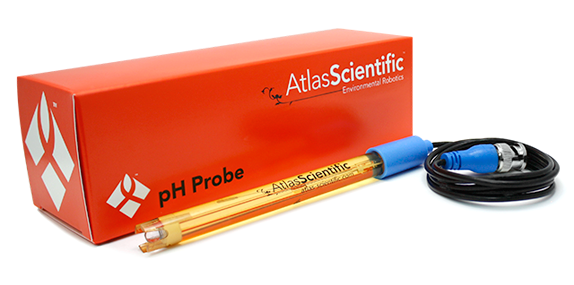
Atlas-Scientific EZO pH Sensor

More information
Configuration parameters
- name: (required) The name of the sensor.
- address: I²C address of the sensor. Defaults to 0x63.
Sample configurations
ezo_ph_sensor_temp_comp
Source configuration:
1 2 3 4 5 6 7 8 9 10 11 12 13 | device:
ezo_ph_sensor_temp_comp:
board: nodemcuv2
mixins:
- clock_pin: GPIO5
data_pin: GPIO4
id: i2c_1
kind: i2c_bus
- address: 99
bus: i2c_1
kind: ezo_ph_sensor
name: test_sensor
update_interval: 10s
|
The rendered configuration:
1 2 3 4 5 6 7 8 9 10 11 12 13 14 15 16 17 18 19 20 21 22 23 24 25 26 27 28 29 30 | esphome:
board: nodemcuv2
includes:
- ../includes/ezo_ph.h
libraries:
- Ezo_I2c_lib
name: ezo_ph_sensor_temp_comp
platform: ESP8266
i2c:
- id: i2c_1
scan: true
scl: GPIO5
sda: GPIO4
logger:
esp8266_store_log_strings_in_flash: false
level: DEBUG
sensor:
- lambda: 'auto ezo_ph_sensor = new EzoPhSensor(10000, 0x63);
App.register_component(ezo_ph_sensor);
return {ezo_ph_sensor};
'
platform: custom
sensors:
- accuracy_decimals: 2
id: test_sensor_ph
name: test_sensor_ph
unit_of_measurement: ''
|
ezo_ph_sensor_basic_esp32
Source configuration:
1 2 3 4 5 6 7 8 9 10 11 12 13 | device:
ezo_ph_sensor_basic_esp32:
board: nodemcu-32s
mixins:
- clock_pin: GPIO22
data_pin: GPIO21
id: i2c_1
kind: i2c_bus
- address: 99
bus: i2c_1
kind: ezo_ph_sensor
name: test_sensor
update_interval: 10s
|
The rendered configuration:
1 2 3 4 5 6 7 8 9 10 11 12 13 14 15 16 17 18 19 20 21 22 23 24 25 26 27 28 29 | esphome:
board: nodemcu-32s
includes:
- ../includes/ezo_ph.h
libraries:
- Ezo_I2c_lib
name: ezo_ph_sensor_basic_esp32
platform: ESP32
i2c:
- id: i2c_1
scan: true
scl: GPIO22
sda: GPIO21
logger:
level: DEBUG
sensor:
- lambda: 'auto ezo_ph_sensor = new EzoPhSensor(10000, 0x63);
App.register_component(ezo_ph_sensor);
return {ezo_ph_sensor};
'
platform: custom
sensors:
- accuracy_decimals: 2
id: test_sensor_ph
name: test_sensor_ph
unit_of_measurement: ''
|
ezo_ph_sensor_basic_esp8266
Source configuration:
1 2 3 4 5 6 7 8 9 10 11 12 13 | device:
ezo_ph_sensor_basic_esp8266:
board: nodemcuv2
mixins:
- clock_pin: GPIO5
data_pin: GPIO4
id: i2c_1
kind: i2c_bus
- address: 99
bus: i2c_1
kind: ezo_ph_sensor
name: test_sensor
update_interval: 10s
|
The rendered configuration:
1 2 3 4 5 6 7 8 9 10 11 12 13 14 15 16 17 18 19 20 21 22 23 24 25 26 27 28 29 30 | esphome:
board: nodemcuv2
includes:
- ../includes/ezo_ph.h
libraries:
- Ezo_I2c_lib
name: ezo_ph_sensor_basic_esp8266
platform: ESP8266
i2c:
- id: i2c_1
scan: true
scl: GPIO5
sda: GPIO4
logger:
esp8266_store_log_strings_in_flash: false
level: DEBUG
sensor:
- lambda: 'auto ezo_ph_sensor = new EzoPhSensor(10000, 0x63);
App.register_component(ezo_ph_sensor);
return {ezo_ph_sensor};
'
platform: custom
sensors:
- accuracy_decimals: 2
id: test_sensor_ph
name: test_sensor_ph
unit_of_measurement: ''
|
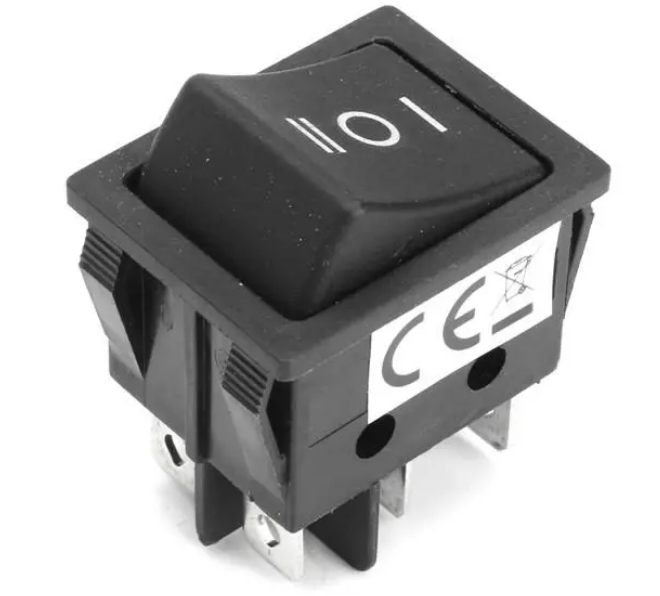
GPIO Binary Sensor

More information
- documentation: https://esphome.io/components/binary_sensor/gpio.html
Configuration parameters
- name: (required) The name of the distance sensor.
- pin: (required) The pin to periodically check.
Sample configurations
gpio_binary_sensor_debounce_on_filter
Source configuration:
1 2 3 4 5 6 7 8 9 | device:
gpio_binary_sensor_debounce_on_filter:
board: nodemcuv2
mixins:
- filters:
- delayed_on: 10ms
kind: gpio_binary_sensor
name: test_sensor
pin: 17
|
The rendered configuration:
1 2 3 4 5 6 7 8 9 10 11 12 | binary_sensor:
- name: test_sensor_sensor
pin:
number: 17
platform: gpio
esphome:
board: nodemcuv2
name: gpio_binary_sensor_debounce_on_filter
platform: ESP8266
logger:
esp8266_store_log_strings_in_flash: false
level: DEBUG
|
gpio_binary_sensor_basic_esp8266
Source configuration:
1 2 3 4 5 6 7 | device:
gpio_binary_sensor_basic_esp8266:
board: nodemcuv2
mixins:
- kind: gpio_binary_sensor
name: test_sensor
pin: D1
|
The rendered configuration:
1 2 3 4 5 6 7 8 9 10 11 12 | binary_sensor:
- name: test_sensor_sensor
pin:
number: D1
platform: gpio
esphome:
board: nodemcuv2
name: gpio_binary_sensor_basic_esp8266
platform: ESP8266
logger:
esp8266_store_log_strings_in_flash: false
level: DEBUG
|
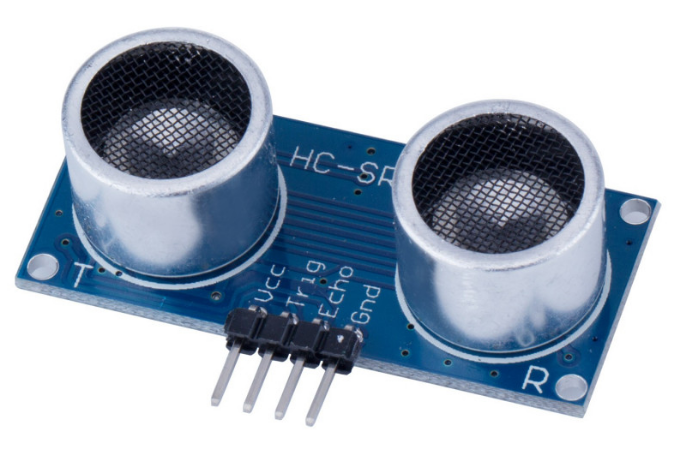
HC-SR04 Ultrasonic Distance Sensor
More information
- documentation: https://esphome.io/components/sensor/ultrasonic.html
Configuration parameters
- name: (required) The name of the distance sensor.
- trigger_pin: (required) The output pin to periodically send the trigger pulse to.
- echo_pin: (required) The input pin on which to wait for the echo.
Sample configurations
sr04_sensor_basic_esp8266
Source configuration:
1 2 3 4 5 6 7 8 | device:
sr04_sensor_basic_esp8266:
board: nodemcuv2
mixins:
- echo_pin: D1
kind: hc_sr04_sensor
name: test_sensor
trigger_pin: D2
|
The rendered configuration:
1 2 3 4 5 6 7 8 9 10 11 12 13 | esphome:
board: nodemcuv2
name: sr04_sensor_basic_esp8266
platform: ESP8266
logger:
esp8266_store_log_strings_in_flash: false
level: DEBUG
sensor:
- echo_pin: D1
name: test_sensor_distance
platform: ultrasonic
trigger_pin: D2
update_interval: 5s
|
HDC1080 Temperature and Humidity Sensor

This I2C digital humidity sensor is a fairly accurate and intelligent alternative to the much simpler Humidity and Temperature Sensor - SHT15 Breakout It has a typical accuracy of ±4% with an operating range that’s optimized from 10% to 80% RH. Operation outside this range is still possible - just the accuracy might drop a bit. The temperature output has a typical accuracy of ±0.2°C from -20~85°C.
More information
- documentation: https://esphome.io/components/sensor/hdc1080.html
- datasheet: https://www.ti.com/lit/ds/symlink/hdc1080.pdf
Configuration parameters
- name: (required) The name of the sensor.
- address: I²C address of the sensor. Defaults to 0x40 with possible 0x41, 0x42 or 0x43.
Sample configurations
hdc1080_sensor_basic_esp8266
Source configuration:
1 2 3 4 5 6 7 8 9 10 11 | device:
hdc1080_sensor_basic_esp8266:
board: nodemcuv2
mixins:
- clock_pin: GPIO5
data_pin: GPIO4
id: i2c_1
kind: i2c_bus
- bus: i2c_1
kind: hdc1080_sensor
name: test_sensor
|
The rendered configuration:
1 2 3 4 5 6 7 8 9 10 11 12 13 14 15 16 17 18 19 20 21 | esphome:
board: nodemcuv2
name: hdc1080_sensor_basic_esp8266
platform: ESP8266
i2c:
- id: i2c_1
scan: true
scl: GPIO5
sda: GPIO4
logger:
esp8266_store_log_strings_in_flash: false
level: DEBUG
sensor:
- address: '0x40'
humidity:
name: test_sensor_humidity
i2c_id: i2c_1
platform: hdc1080
temperature:
name: test_sensor_temperature
update_interval: 5s
|
HTU21D Temperature and Humidity Sensor

This I²C digital humidity sensor is an accurate and intelligent alternative to the much simpler Humidity and Temperature Sensor - SHT15 Breakout It has a typical accuracy of ±2% with an operating range that’s optimized from 5% to 95% RH. Operation outside this range is still possible - just the accuracy might drop a bit. The temperature output has an accuracy of ±1°C from -30~90°C.
More information
- documentation: https://esphome.io/components/sensor/htu21d.html
Configuration parameters
- name: (required) The name of the sensor.
- address: I²C address of the sensor. Defaults to 0x40.
Sample configurations
htu21d_sensor_basic_esp8266
Source configuration:
1 2 3 4 5 6 7 8 9 10 11 | device:
htu21d_sensor_basic_esp8266:
board: nodemcuv2
mixins:
- clock_pin: GPIO5
data_pin: GPIO4
id: i2c_1
kind: i2c_bus
- bus: i2c_1
kind: htu21d_sensor
name: test_sensor
|
The rendered configuration:
1 2 3 4 5 6 7 8 9 10 11 12 13 14 15 16 17 18 19 20 21 | esphome:
board: nodemcuv2
name: htu21d_sensor_basic_esp8266
platform: ESP8266
i2c:
- id: i2c_1
scan: true
scl: GPIO5
sda: GPIO4
logger:
esp8266_store_log_strings_in_flash: false
level: DEBUG
sensor:
- address: '0x40'
humidity:
name: test_sensor_humidity
i2c_id: i2c_1
platform: htu21d
temperature:
name: test_sensor_temperature
update_interval: 5s
|
htu21d_sensor_basic_esp32
Source configuration:
1 2 3 4 5 6 7 8 9 10 11 | device:
htu21d_sensor_basic_esp32:
board: nodemcu-32s
mixins:
- clock_pin: GPIO22
data_pin: GPIO21
id: i2c_1
kind: i2c_bus
- bus: i2c_1
kind: htu21d_sensor
name: test_sensor
|
The rendered configuration:
1 2 3 4 5 6 7 8 9 10 11 12 13 14 15 16 17 18 19 20 | esphome:
board: nodemcu-32s
name: htu21d_sensor_basic_esp32
platform: ESP32
i2c:
- id: i2c_1
scan: true
scl: GPIO22
sda: GPIO21
logger:
level: DEBUG
sensor:
- address: '0x40'
humidity:
name: test_sensor_humidity
i2c_id: i2c_1
platform: htu21d
temperature:
name: test_sensor_temperature
update_interval: 5s
|
INA219 DC Current Sensor
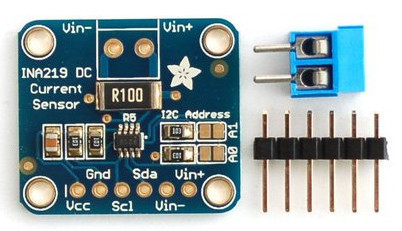
More information
Configuration parameters
- name: (required) The name of the sensor.
- address: I²C address of the sensor. Defaults to 0x40.
- max_voltage: The maximum bus voltage you are expecting. Defaults to 32V (the max).
- max_voltage: The maximum current you are expecting. Defaults to 3.2A.
Sample configurations
ina219_sensor_basic_esp8266
Source configuration:
1 2 3 4 5 6 7 8 9 10 11 | device:
ina219_sensor_basic_esp8266:
board: nodemcuv2
mixins:
- clock_pin: GPIO5
data_pin: GPIO4
id: i2c_1
kind: i2c_bus
- bus: i2c_1
kind: ina219_sensor
name: test_sensor
|
The rendered configuration:
1 2 3 4 5 6 7 8 9 10 11 12 13 14 15 16 17 18 19 20 21 22 23 24 25 | esphome:
board: nodemcuv2
name: ina219_sensor_basic_esp8266
platform: ESP8266
i2c:
- id: i2c_1
scan: true
scl: GPIO5
sda: GPIO4
logger:
esp8266_store_log_strings_in_flash: false
level: DEBUG
sensor:
- address: '0x40'
bus_voltage:
name: test_sensor_bus_voltage
current:
name: test_sensor_current
i2c_id: i2c_1
platform: ina219
power:
name: test_sensor_power
shunt_voltage:
name: test_sensor_shunt_voltage
update_interval: 5s
|
ina219_sensor_basic_esp32
Source configuration:
1 2 3 4 5 6 7 8 9 10 11 | device:
ina219_sensor_basic_esp32:
board: nodemcu-32s
mixins:
- clock_pin: GPIO22
data_pin: GPIO21
id: i2c_1
kind: i2c_bus
- bus: i2c_1
kind: ina219_sensor
name: test_sensor
|
The rendered configuration:
1 2 3 4 5 6 7 8 9 10 11 12 13 14 15 16 17 18 19 20 21 22 23 24 | esphome:
board: nodemcu-32s
name: ina219_sensor_basic_esp32
platform: ESP32
i2c:
- id: i2c_1
scan: true
scl: GPIO22
sda: GPIO21
logger:
level: DEBUG
sensor:
- address: '0x40'
bus_voltage:
name: test_sensor_bus_voltage
current:
name: test_sensor_current
i2c_id: i2c_1
platform: ina219
power:
name: test_sensor_power
shunt_voltage:
name: test_sensor_shunt_voltage
update_interval: 5s
|
MAX6675 K-Type Thermocouple Temperature Sensor

SPI driver for MAX6675 thermocouple temperature sensor.
More information
- documentation: https://esphome.io/components/sensor/max6675.html
Configuration parameters
- name: (required) The name for the temperature sensor.
- cs_pin: (required) The Chip Select pin of the SPI interface.
Sample configurations
max6675_sensor_basic_esp8266
Source configuration:
1 2 3 4 5 6 7 8 9 10 11 12 | device:
max6675_sensor_basic_esp8266:
board: nodemcuv2
mixins:
- clk_pin: D1
id: spi_1
kind: spi_bus
miso_pin: D0
- bus: spi_1
cs_pin: D2
kind: max6675_sensor
name: test_sensor
|
The rendered configuration:
1 2 3 4 5 6 7 8 9 10 11 12 13 14 15 16 | esphome:
board: nodemcuv2
name: max6675_sensor_basic_esp8266
platform: ESP8266
logger:
esp8266_store_log_strings_in_flash: false
level: DEBUG
sensor:
- cs_pin: D2
name: test_sensor_temperature
platform: max6675
spi_id: spi_1
update_interval: 5s
spi:
clk_pin: D1
miso_pin: D0
|
MCP9808 Temperature Sensor

Configuration parameters
- name: (required) The name of the temperature sensor.
MH-Z19 CO₂ and Temperature Sensor
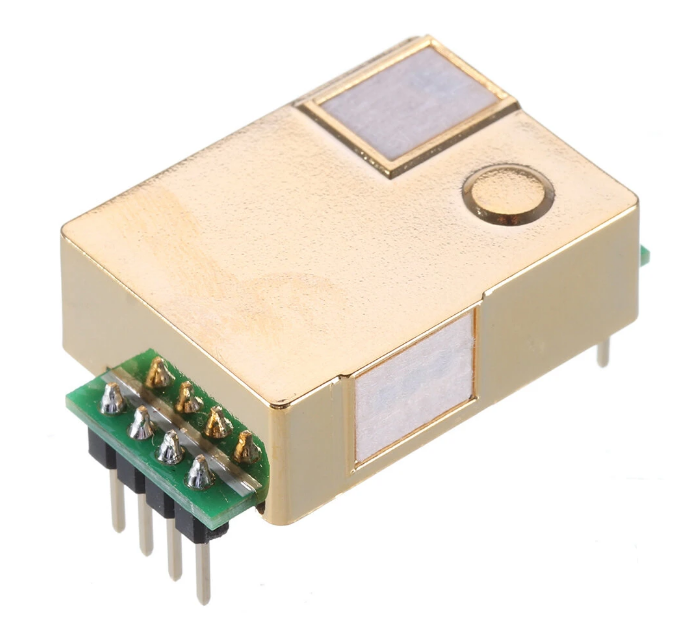
This sensor gives a digital (serial) output of the CO2 concentration in air, in parts-per-million (ppm). It uses the optical measurement principle of measuring CO2, which should be much more accurate than the inexpensive electro-chemical sensors you can find.
More information
- documentation: https://esphome.io/components/sensor/mhz19.html
Configuration parameters
- name: (required) The name of the sensor.
- automatic_baseline_calibration: MH-Z19 has automatic calibration procedure. The automatic calibration cycle is every 24 hours after powered on. Set this value to false to disable ABC on boot (it’s better if you use sensor indoor). Set this value to true to enable ABC on boot.
Sample configurations
mhz19_sensor_basic_esp8266
Source configuration:
1 2 3 4 5 6 7 8 9 10 11 12 | device:
mhz19_sensor_basic_esp8266:
board: nodemcuv2
mixins:
- id: uart_1
kind: uart_bus
rx_pin: D0
tx_pin: D1
- automatic_baseline_calibration: false
bus: uart_1
kind: mhz19_sensor
name: test_sensor
|
The rendered configuration:
1 2 3 4 5 6 7 8 9 10 11 12 13 14 15 16 17 18 19 20 21 | esphome:
board: nodemcuv2
name: mhz19_sensor_basic_esp8266
platform: ESP8266
logger:
esp8266_store_log_strings_in_flash: false
level: DEBUG
sensor:
- automatic_baseline_calibration: false
co2:
accuracy_decimals: 1
name: test_sensor_co2
platform: mhz19
temperature:
accuracy_decimals: 1
name: test_sensor_temperature
update_interval: 5s
uart:
baud_rate: 9600
rx_pin: D0
tx_pin: D1
|
PN532 NFC/RFID Sensor

Using the PN532 binary sensors you can then create individual binary sensors that track if an NFC/RFID tag is currently detected by the PN532.
More information
- documentation: https://esphome.io/components/binary_sensor/pn532.html
Configuration parameters
- name: (required) The name of the RDIF sensor.
- cs_pin: (required) The pin on the ESP that the chip select line is connected to.
- on_tag: An automation to perform when a tag is read.
- tags.name: (required) The name of the RDIF tag.
- tags.uid: (required) The name of the RDIF tag.
Sample configurations
pn532_sensor_basic_esp8266
Source configuration:
1 2 3 4 5 6 7 8 9 10 11 12 13 14 15 16 17 | device:
pn532_sensor_basic_esp8266:
board: nodemcuv2
mixins:
- clk_pin: D1
id: spi_1
kind: spi_bus
miso_pin: D0
- bus: spi_1
cs_pin: D2
kind: pn532_sensor
name: test_sensor
tags:
- name: tag-01
uid: 74-10-37-94
- name: tag-02
uid: 34-5s7-32-10
|
The rendered configuration:
1 2 3 4 5 6 7 8 9 10 11 12 13 14 15 16 17 18 19 20 21 22 23 24 25 | binary_sensor:
- id: tag-01
name: tag-01
platform: pn532
uid: 74-10-37-94
- id: tag-02
name: tag-02
platform: pn532
uid: 34-5s7-32-10
esphome:
board: nodemcuv2
name: pn532_sensor_basic_esp8266
platform: ESP8266
logger:
esp8266_store_log_strings_in_flash: false
level: DEBUG
pn532:
cs_pin: D2
id: test_sensor
platform: pn532
spi_id: spi_1
update_interval: 5s
spi:
clk_pin: D1
miso_pin: D0
|
Rotary Encoder Sensor
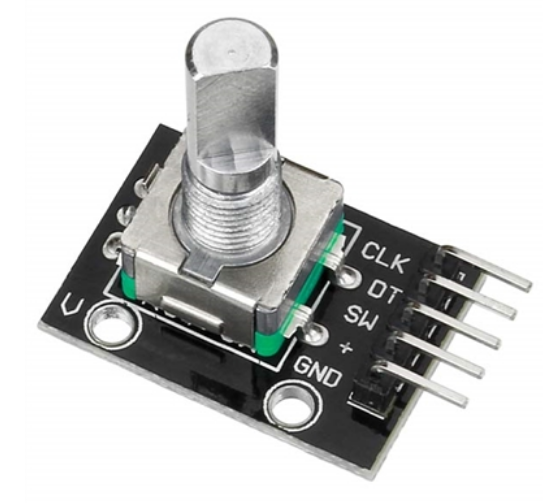
More information
Configuration parameters
- name: (required) The name of the sensor.
- pin_a: (required) The first pin for determining the step value. Must not be a pin from an external I/O expander.
- pin_b: (required) The second pin for determining the step value. Must not be a pin from an external I/O expander.
- pin_reset: An optional pin that resets the step value. This is useful with rotary encoders that have have a third pin. Defaults to no reset pin.
- resolution: The resolution of the sensor, this controls how many pulses are generated by one step: 1 (default), 2 and 4.
- min_value: The minimum value this rotary encoder will go to, turning the knob further will not decrease the number. Defaults to no minimum.
- max_value: The maximum value this rotary encoder will go to, turning the knob further will not increase the number. Defaults to no maximum.
Sample configurations
rotary_encoder_sensor_basic_esp8266
Source configuration:
1 2 3 4 5 6 7 8 9 | device:
rotary_encoder_sensor_basic_esp8266:
board: nodemcuv2
mixins:
- kind: rotary_encoder_sensor
name: test_sensor
pin_a: D1
pin_b: D2
pin_reset: D3
|
The rendered configuration:
1 2 3 4 5 6 7 8 9 10 11 12 13 14 | esphome:
board: nodemcuv2
name: rotary_encoder_sensor_basic_esp8266
platform: ESP8266
logger:
esp8266_store_log_strings_in_flash: false
level: DEBUG
sensor:
- name: test_sensor
pin_a: D1
pin_b: D2
pin_reset: D3
platform: rotary_encoder
update_interval: 5s
|
rotary_encoder_sensor_advanced_esp8266
Source configuration:
1 2 3 4 5 6 7 8 9 10 11 | device:
rotary_encoder_sensor_advanced_esp8266:
board: nodemcuv2
mixins:
- kind: rotary_encoder_sensor
max_value: 100
min_value: 20
name: test_sensor
pin_a: D1
pin_b: D2
pin_reset: D3
|
The rendered configuration:
1 2 3 4 5 6 7 8 9 10 11 12 13 14 15 16 | esphome:
board: nodemcuv2
name: rotary_encoder_sensor_advanced_esp8266
platform: ESP8266
logger:
esp8266_store_log_strings_in_flash: false
level: DEBUG
sensor:
- max_value: 100
min_value: 20
name: test_sensor
pin_a: D1
pin_b: D2
pin_reset: D3
platform: rotary_encoder
update_interval: 5s
|
SCD30 CO₂, Temperature and Humidity Sensor
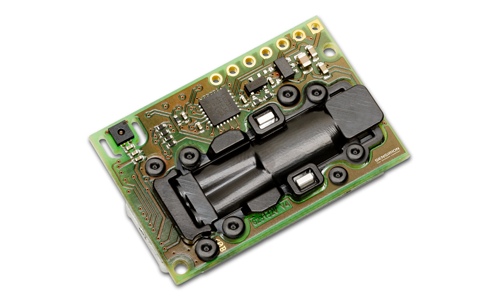
Sensirion SCD30 Sensor Module uses NDIR CO2 sensor technology to sense CO2 and has an integrated temperature and humidity sensor. Ambient humidity and temperature can be measured by monitoring and compensating of external heat sources without the need for additional components. The small module height allows easy integration into different applications. The SCD30 features dual-channel detection for superior stability and ±30ppm + 3% accuracy.
More information
Configuration parameters
- name: (required) The name of the sensor.
- address: I²C address of the sensor. Defaults to 0x61.
Sample configurations
scd30_sensor_basic_esp8266
Source configuration:
1 2 3 4 5 6 7 8 9 10 11 | device:
scd30_sensor_basic_esp8266:
board: nodemcuv2
mixins:
- clock_pin: D5
data_pin: D4
id: i2c_1
kind: i2c_bus
- bus: i2c_1
kind: scd30_sensor
name: test_sensor
|
The rendered configuration:
1 2 3 4 5 6 7 8 9 10 11 12 13 14 15 16 17 18 19 20 21 22 23 24 25 26 27 28 29 | esphome:
board: nodemcuv2
name: scd30_sensor_basic_esp8266
platform: ESP8266
i2c:
- id: i2c_1
scan: true
scl: D5
sda: D4
logger:
esp8266_store_log_strings_in_flash: false
level: DEBUG
sensor:
- address: '0x61'
co2:
accuracy_decimals: 1
id: test_sensor_co2
name: test_sensor_co2
humidity:
accuracy_decimals: 1
id: test_sensor_humidity
name: test_sensor_humidity
i2c_id: i2c_1
platform: scd30
temperature:
accuracy_decimals: 2
id: test_sensor_temperature
name: test_sensor_temperature
update_interval: 5s
|
scd30_sensor_basic_esp32
Source configuration:
1 2 3 4 5 6 7 8 9 10 11 | device:
scd30_sensor_basic_esp32:
board: nodemcu-32s
mixins:
- clock_pin: GPIO22
data_pin: GPIO21
id: i2c_1
kind: i2c_bus
- bus: i2c_1
kind: scd30_sensor
name: test_sensor
|
The rendered configuration:
1 2 3 4 5 6 7 8 9 10 11 12 13 14 15 16 17 18 19 20 21 22 23 24 25 26 27 28 | esphome:
board: nodemcu-32s
name: scd30_sensor_basic_esp32
platform: ESP32
i2c:
- id: i2c_1
scan: true
scl: GPIO22
sda: GPIO21
logger:
level: DEBUG
sensor:
- address: '0x61'
co2:
accuracy_decimals: 1
id: test_sensor_co2
name: test_sensor_co2
humidity:
accuracy_decimals: 1
id: test_sensor_humidity
name: test_sensor_humidity
i2c_id: i2c_1
platform: scd30
temperature:
accuracy_decimals: 2
id: test_sensor_temperature
name: test_sensor_temperature
update_interval: 5s
|
SDS011 Particulate Matter Sensor

More information
- documentation: https://esphome.io/components/sensor/sds011.html
- datasheet: https://nettigo.pl/attachments/398
Configuration parameters
- name: (required) The name of the sensor.
Sample configurations
sds011_sensor_basic_esp32
Source configuration:
1 2 3 4 5 6 7 8 9 10 11 | device:
sds011_sensor_basic_esp32:
board: nodemcu-32s
mixins:
- id: uart_1
kind: uart_bus
rx_pin: GPIO3
tx_pin: GPIO1
- bus: uart_1
kind: sds011_sensor
name: test_sensor
|
The rendered configuration:
1 2 3 4 5 6 7 8 9 10 11 12 13 14 15 16 17 18 19 | esphome:
board: nodemcu-32s
name: sds011_sensor_basic_esp32
platform: ESP32
logger:
level: DEBUG
sensor:
- platform: sds011
pm_10_0:
id: test_sensor_pm_10
name: test_sensor_pm_10
pm_2_5:
id: test_sensor_pm_2_5
name: test_sensor_pm_2_5
update_interval: 5s
uart:
baud_rate: 9600
rx_pin: GPIO3
tx_pin: GPIO1
|
sds011_sensor_basic_esp8266
Source configuration:
1 2 3 4 5 6 7 8 9 10 11 | device:
sds011_sensor_basic_esp8266:
board: nodemcuv2
mixins:
- id: uart_1
kind: uart_bus
rx_pin: GPIO3
tx_pin: GPIO1
- bus: uart_1
kind: sds011_sensor
name: test_sensor
|
The rendered configuration:
1 2 3 4 5 6 7 8 9 10 11 12 13 14 15 16 17 18 19 20 | esphome:
board: nodemcuv2
name: sds011_sensor_basic_esp8266
platform: ESP8266
logger:
esp8266_store_log_strings_in_flash: false
level: DEBUG
sensor:
- platform: sds011
pm_10_0:
id: test_sensor_pm_10
name: test_sensor_pm_10
pm_2_5:
id: test_sensor_pm_2_5
name: test_sensor_pm_2_5
update_interval: 5s
uart:
baud_rate: 9600
rx_pin: GPIO3
tx_pin: GPIO1
|
SGP30 CO₂ and Volatile Organic Compound Sensor

More information
Configuration parameters
- name: (required) The name of the sensor.
- address: I²C address of the sensor. Defaults to 0x58.
Sample configurations
sgp30_sensor_basic_esp32
Source configuration:
1 2 3 4 5 6 7 8 9 10 11 | device:
sgp30_sensor_basic_esp32:
board: nodemcu-32s
mixins:
- clock_pin: GPIO22
data_pin: GPIO21
id: i2c_1
kind: i2c_bus
- bus: i2c_1
kind: sgp30_sensor
name: test_sensor
|
The rendered configuration:
1 2 3 4 5 6 7 8 9 10 11 12 13 14 15 16 17 18 19 20 21 22 23 24 | esphome:
board: nodemcu-32s
name: sgp30_sensor_basic_esp32
platform: ESP32
i2c:
- id: i2c_1
scan: true
scl: GPIO22
sda: GPIO21
logger:
level: DEBUG
sensor:
- address: '0x58'
eco2:
accuracy_decimals: 1
id: test_sensor_eco2
name: test_sensor_eco2
i2c_id: i2c_1
platform: sgp30
tvoc:
accuracy_decimals: 1
id: test_sensor_tvoc
name: test_sensor_tvoc
update_interval: 5s
|
sgp30_sensor_basic_esp8266
Source configuration:
1 2 3 4 5 6 7 8 9 10 11 | device:
sgp30_sensor_basic_esp8266:
board: nodemcuv2
mixins:
- clock_pin: GPIO5
data_pin: GPIO4
id: i2c_1
kind: i2c_bus
- bus: i2c_1
kind: sgp30_sensor
name: test_sensor
|
The rendered configuration:
1 2 3 4 5 6 7 8 9 10 11 12 13 14 15 16 17 18 19 20 21 22 23 24 25 | esphome:
board: nodemcuv2
name: sgp30_sensor_basic_esp8266
platform: ESP8266
i2c:
- id: i2c_1
scan: true
scl: GPIO5
sda: GPIO4
logger:
esp8266_store_log_strings_in_flash: false
level: DEBUG
sensor:
- address: '0x58'
eco2:
accuracy_decimals: 1
id: test_sensor_eco2
name: test_sensor_eco2
i2c_id: i2c_1
platform: sgp30
tvoc:
accuracy_decimals: 1
id: test_sensor_tvoc
name: test_sensor_tvoc
update_interval: 5s
|
SHT3X-D Temperature and Humidity Sensor
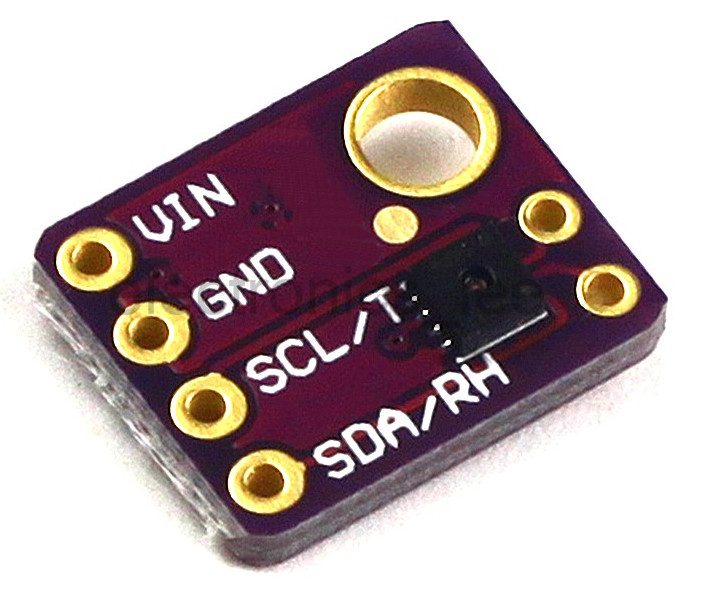
Sensirion Temperature/Humidity sensors are some of the finest & highest-accuracy devices you can get. And, finally we have some that have a true I2C interface for easy reading. The SHT31-D sensor has an excellent ±2% relative humidity and ±0.3°C accuracy for most uses. We now use the version with a PTFE filter, it’ll stay clean while still allowing humidity measurements to work.
More information
Configuration parameters
- name: (required) The name of the sensor.
- address: I²C address of the sensor. Defaults to 0x44 or optinal 0x45.
Sample configurations
sht3x_sensor_basic_esp8266
Source configuration:
1 2 3 4 5 6 7 8 9 10 11 | device:
sht3x_sensor_basic_esp8266:
board: nodemcuv2
mixins:
- clock_pin: GPIO5
data_pin: GPIO4
id: i2c_1
kind: i2c_bus
- bus: i2c_1
kind: sht3x_sensor
name: test_sensor
|
The rendered configuration:
1 2 3 4 5 6 7 8 9 10 11 12 13 14 15 16 17 18 19 20 21 | esphome:
board: nodemcuv2
name: sht3x_sensor_basic_esp8266
platform: ESP8266
i2c:
- id: i2c_1
scan: true
scl: GPIO5
sda: GPIO4
logger:
esp8266_store_log_strings_in_flash: false
level: DEBUG
sensor:
- address: '0x44'
humidity:
name: test_sensor_humidity
i2c_id: i2c_1
platform: sht3xd
temperature:
name: test_sensor_temperature
update_interval: 5s
|
SPW2430 MEMS Sound Sensor

The SPW2430 is a small, low cost MEMS mic with a range of 100Hz - 10KHz, good for just about all general audio recording/detection. The output peak-to-peak voltage has a 0.67V DC bias and about 100mVpp (peak-to-peak) when talking near the microphone, which is good for attaching to something that expects ‘line level’ input without clipping. The peak-to-peak can be as high as 1Vpp if there’s a very loud sound.
Configuration parameters
- name: (required) The name of the sensor.
- pin: (required) The pin to measure the voltage on.
- attenuation: Specify the ADC attenuation to use. Only on ESP32.
Sample configurations
spw2430_sensor_basic_esp32
Source configuration:
1 2 3 4 5 6 7 | device:
spw2430_sensor_basic_esp32:
board: nodemcu-32s
mixins:
- kind: spw2430_sensor
name: test_sensor
pin: GPIO22
|
The rendered configuration:
1 2 3 4 5 6 7 8 9 10 11 12 | esphome:
board: nodemcu-32s
name: spw2430_sensor_basic_esp32
platform: ESP32
logger:
level: DEBUG
sensor:
- id: test_sensor_sound_level
name: test_sensor_sound_level
pin: GPIO22
platform: adc
update_interval: 5s
|
TEMT6000 Ambient Light Sensor
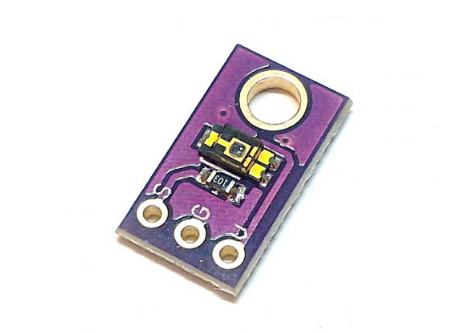
The TEMT6000 is a simple and cheap ambient light sensor. The sensor itself changes its resistance based on how much light hits the sensor.
More information
- documentation: https://next.esphome.io/cookbook/temt6000.html
Configuration parameters
- name: (required) The name of the sensor.
- pin: (required) The pin to measure the voltage on.
TSL2561 Ambient Light Sensor
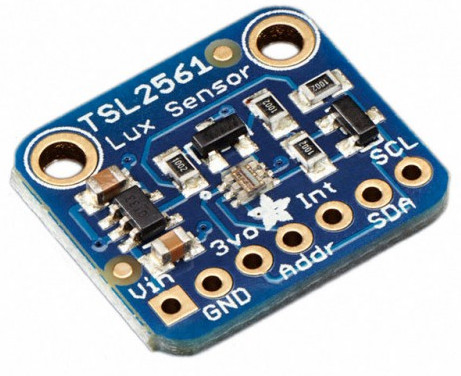
The TSL2561 luminosity sensor is an advanced digital light sensor, ideal for use in a wide range of light situations. Compared to low cost CdS cells, this sensor is more precise, allowing for exact lux calculations and can be configured for different gain/timing ranges to detect light ranges from up to 0.1 - 40,000+ Lux on the fly. The best part of this sensor is that it contains both infrared and full spectrum diodes! That means you can separately measure infrared, full-spectrum or human-visible light. Most sensors can only detect one or the other, which does not accurately represent what human eyes see (since we cannot perceive the IR light that is detected by most photo diodes).
More information
- documentation: https://esphome.io/components/sensor/tsl2561.html
Configuration parameters
- name: (required) The name of the light sensor.
- integration_time: (optional, time) The time the sensor will take for each measurement. Longer means more accurate values. One of 14ms, 101ms, 402ms. Defaults to 402ms.
- gain: (optional, string) The gain of the sensor. Higher values are better in low-light conditions. One of 1x and 16x. Defaults to 1x.
- is_cs_package: (optional, boolean) The “CS” package of this sensor has a slightly different formula for calculating the illuminance in lx. Set to true if you’re working with a CS package. Defaults to false.
- address: I²C address of the sensor. Defaults to 0x39.
Sample configurations
tsl2561_sensor_basic_esp8266
Source configuration:
1 2 3 4 5 6 7 8 9 10 11 12 | device:
tsl2561_sensor_basic_esp8266:
board: nodemcuv2
mixins:
- clock_pin: GPIO5
data_pin: GPIO4
id: i2c_1
kind: i2c_bus
- bus: i2c_1
kind: tsl2561_sensor
name: test_sensor
update_interval: 10s
|
The rendered configuration:
1 2 3 4 5 6 7 8 9 10 11 12 13 14 15 16 17 18 | esphome:
board: nodemcuv2
name: tsl2561_sensor_basic_esp8266
platform: ESP8266
i2c:
- id: i2c_1
scan: true
scl: GPIO5
sda: GPIO4
logger:
esp8266_store_log_strings_in_flash: false
level: DEBUG
sensor:
- address: '0x39'
i2c_id: i2c_1
name: test_sensor_light_intensity
platform: tsl2561
update_interval: 10s
|
TSL2591 Ambient Light Sensor

The TSL2591 luminosity sensor is an advanced digital light sensor, ideal for use in a wide range of light situations. Compared to low cost CdS cells, this sensor is more precise, allowing for exact lux calculations and can be configured for different gain/timing ranges to detect light ranges from 188 uLux up to 88,000 Lux on the fly.The best part of this sensor is that it contains both infrared and full spectrum diodes! That means you can separately measure infrared, full-spectrum or human-visible light. Most sensors can only detect one or the other, which does not accurately represent what human eyes see (since we cannot perceive the IR light that is detected by most photo diodes) This sensor is much like the TSL2561 but with a wider range (and the interface code is different). This sensor has a massive 600,000,000:1 dynamic range! Unlike the TSL2561 you cannot change the I²C address, so keep that in mind. This board/chip uses I²C 7-bit address 0x29.
Configuration parameters
- name: (required) The name of the light sensor.
- address: I²C address of the sensor.
Sample configurations
tsl2591_sensor_basic_esp8266
Source configuration:
1 2 3 4 5 6 7 8 9 10 11 12 | device:
tsl2591_sensor_basic_esp8266:
board: nodemcuv2
mixins:
- clock_pin: GPIO5
data_pin: GPIO4
id: i2c_1
kind: i2c_bus
- bus: i2c_1
kind: tsl2591_sensor
name: test_sensor
update_interval: 5s
|
The rendered configuration:
1 2 3 4 5 6 7 8 9 10 11 12 13 14 15 16 17 18 19 20 21 22 23 24 25 26 27 28 29 30 | esphome:
board: nodemcuv2
includes:
- ../includes/tsl2591.h
libraries:
- Adafruit TSL2591 Library
- Adafruit Unified Sensor
name: tsl2591_sensor_basic_esp8266
platform: ESP8266
i2c:
- id: i2c_1
scan: true
scl: GPIO5
sda: GPIO4
logger:
esp8266_store_log_strings_in_flash: false
level: DEBUG
sensor:
- lambda: 'auto tsl2591_sensor = new TSL2591Sensor(5000);
App.register_component(tsl2591_sensor);
return {tsl2591_sensor};
'
platform: custom
sensors:
- accuracy_decimals: 2
name: test_sensor_light_intensity
unit_of_measurement: lx
|
VL53L0X Time Of Flight Distance Sensor

More information
- documentation: https://esphome.io/components/sensor/vl53l0x.html
Configuration parameters
- name: (required) The name of the distance sensor.
- address: I²C address of the sensor. Defaults to 0x29.
Xiaomi Mi Flora Sensor
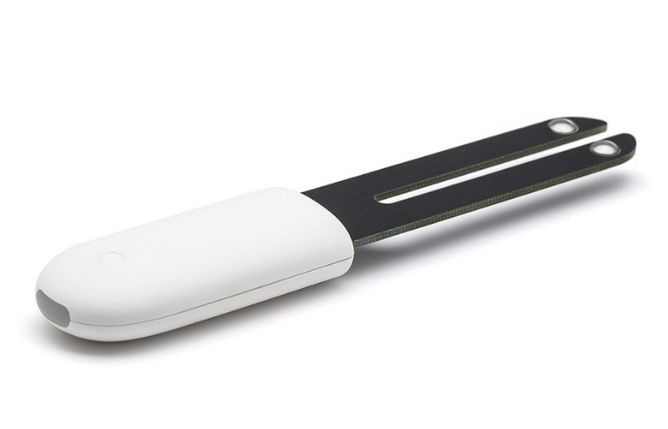
More information
- documentation: https://esphome.io/components/sensor/xiaomi_hhccjcy01.html
Configuration parameters
- name: (required) The name of the device.
- mac_address: (required) The MAC address of the Xiaomi HHCCJCY01 device.