actuator-mixin
Generic Servo Motor (Partial)
Configuration parameters
- name: (required) The name of the servo.
- min_level: The PWM duty cycle the minimum value (-100%) will map to. Defaults to 3%.
- max_level: The PWM duty cycle the maximum value (100%) will map to. Defaults to 12.0%.
- idle_level: The PWM duty cycle the idle value (0%) will map to. This is also the state of the servo at startup. Defaults to 7.5%.
- restore: Whether to restore the state of the servo motor at startup. This is useful if you have an absolute servo motor and it goes back to its 0 position at startup. Defaults to false.
GPIO Relay Switch
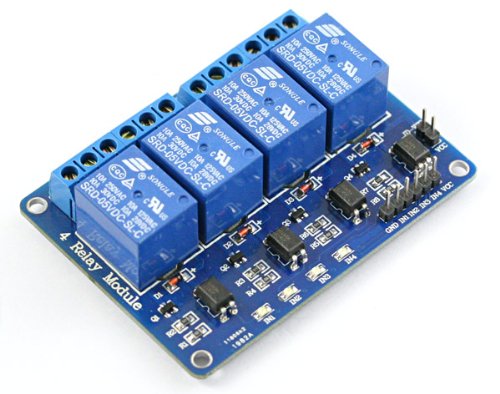
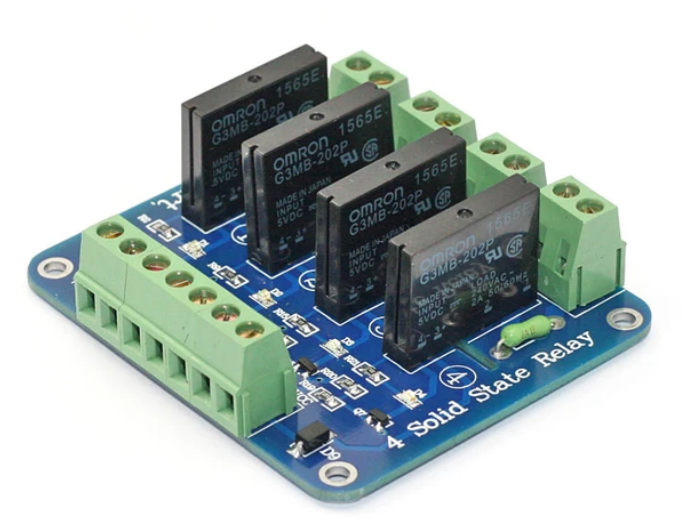
More information
- documentation: https://esphome.io/components/switch/gpio.html
Configuration parameters
- name: (required) The name of the switch.
- pin: (required) The GPIO pin to use for the switch.
Sample configurations
gpio_relay_switch_basic
Source configuration:
1 2 3 4 5 6 7 | device:
gpio_relay_switch_basic:
board: nodemcuv2
mixins:
- kind: gpio_relay_switch
name: test_switch
pin: D3
|
The rendered configuration:
1 2 3 4 5 6 7 8 9 10 11 12 | esphome:
board: nodemcuv2
name: gpio_relay_switch_basic
platform: ESP8266
logger:
esp8266_store_log_strings_in_flash: false
level: DEBUG
switch:
- id: test_switch_switch
name: test_switch_switch
pin: D3
platform: gpio
|
gpio_relay_switch_inverted
Source configuration:
1 2 3 4 5 6 7 8 | device:
gpio_relay_switch_inverted:
board: nodemcuv2
mixins:
- inverted: true
kind: gpio_relay_switch
name: test_switch
pin: D3
|
The rendered configuration:
1 2 3 4 5 6 7 8 9 10 11 12 13 14 | esphome:
board: nodemcuv2
name: gpio_relay_switch_inverted
platform: ESP8266
logger:
esp8266_store_log_strings_in_flash: false
level: DEBUG
switch:
- id: test_switch_switch
name: test_switch_switch
pin:
inverted: 'yes'
number: D3
platform: gpio
|
GPIO l9110s Motor

Configuration parameters
- name: (required) The name of the motor.
- pin_a: (required)
- pin_b: (required)
Sample configurations
gpio_l9110s_motor_basic
Source configuration:
1 2 3 4 5 6 7 8 9 | device:
gpio_l9110s_motor_basic:
board: nodemcuv2
mixins:
- acw_pin: D2
cw_pin: D3
kind: gpio_l9110s_motor
name: test_motor
power_pin: D1
|
The rendered configuration:
1 2 3 4 5 6 7 8 9 10 11 12 13 14 15 16 | esphome:
board: nodemcuv2
name: gpio_l9110s_motor_basic
platform: ESP8266
logger:
esp8266_store_log_strings_in_flash: false
level: DEBUG
switch:
- id: test_motor_a
name: test_motor_a
pin: D2
platform: gpio
- id: test_motor_b
name: test_motor_b
pin: D3
platform: gpio
|
GPIO l293d Motor
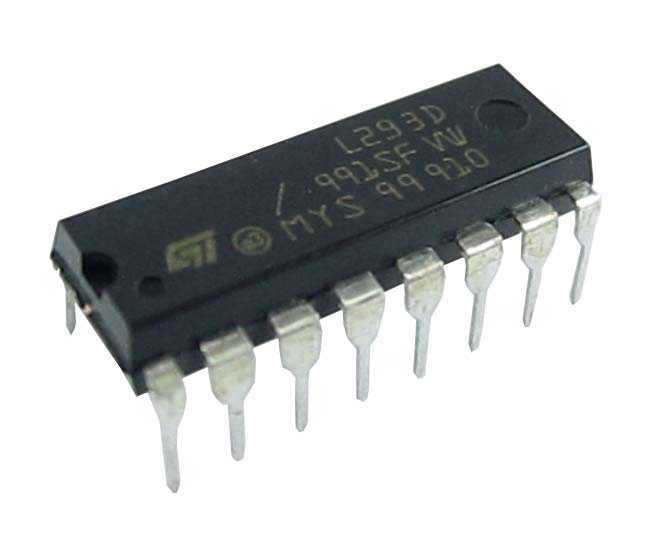
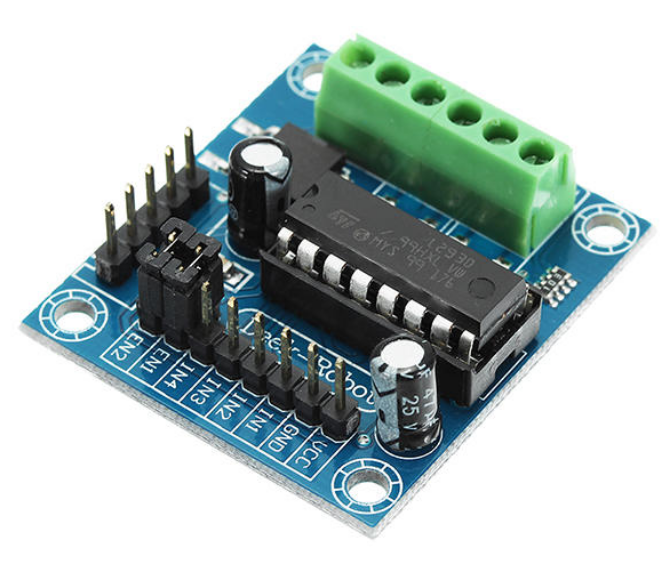
Configuration parameters
- name: (required) The name of the motor.
- power_pin: (required) L293D pin 1 or pin 9: On or off.
- acw_pin: (required) L293D pin 2 or pin 10: Anticlockwise rotation.
- cw_pin: (required) L293D pin 7 or pin 15: Clockwise rotation.
Sample configurations
gpio_l293d_motor_basic
Source configuration:
1 2 3 4 5 6 7 8 9 | device:
gpio_l293d_motor_basic:
board: nodemcuv2
mixins:
- acw_pin: D2
cw_pin: D3
kind: gpio_l293d_motor
name: test_motor
power_pin: D1
|
The rendered configuration:
1 2 3 4 5 6 7 8 9 10 11 12 13 14 15 16 17 18 19 20 | esphome:
board: nodemcuv2
name: gpio_l293d_motor_basic
platform: ESP8266
logger:
esp8266_store_log_strings_in_flash: false
level: DEBUG
switch:
- id: test_motor_power
name: test_motor_power
pin: D1
platform: gpio
- id: test_motor_acw_rotation
name: test_motor_acw_rotation
pin: D2
platform: gpio
- id: test_motor_cw_rotation
name: test_motor_cw_rotation
pin: D3
platform: gpio
|
GPIO Binary Fan
More information
- documentation: https://esphome.io/components/fan/binary.html
Configuration parameters
- name: (required) The name of the fan.
PWM Speed Fan
More information
- documentation: https://esphome.io/components/fan/speed.html
Configuration parameters
- name: (required) The name of the fan.
PWM Servo Motor

Works with both continuous-rotation and absolute servos and has a similar interface to the Arduino Servo library. Please note the frequency of the output must be around 50Hz, as most servo controllers only operate in this frequency range.
Configuration parameters
- name: (required) The name of the servo.
- pin: (required) The pin to use PWM servo on.
- frequency: (required) The frequency to run the PWM with. Lower frequencies have more visual artifacts, but can represent much more colors. Defaults to 50Hz for servo.
Sample configurations
gpio_pwm_servo_basic_esp8266
Source configuration:
1 2 3 4 5 6 7 8 9 10 11 | device:
gpio_pwm_servo_basic_esp8266:
board: nodemcuv2
mixins:
- kind: gpio_pwm_servo
name: test_motor
pin: D1
networks:
- api_password: api-pass
essid: wlan-essid
key: wlan-key
|
The rendered configuration:
1 2 3 4 5 6 7 8 9 10 11 12 13 14 15 16 17 18 19 20 21 22 23 24 25 26 27 28 29 30 31 32 33 34 35 36 37 38 39 40 41 | api:
password: api-pass
services:
- service: set_angle_test_motor
then:
- lambda: 'id(test_motor).write(angle / 90.0);
ESP_LOGD("api_set_angle_test_motor", "Set angle of servo test_motor");
'
variables:
angle: float
- service: detach_servo_test_motor
then:
- lambda: 'id(test_motor).detach();
ESP_LOGD("api_detach_servo_test_motor", "Detached servo test_motor");
'
esphome:
board: nodemcuv2
name: gpio_pwm_servo_basic_esp8266
platform: ESP8266
logger:
esp8266_store_log_strings_in_flash: false
level: DEBUG
output:
- frequency: 50Hz
id: test_motor_output
pin: D1
platform: esp8266_pwm
servo:
- id: test_motor
name: test_motor
output: test_motor_output
wifi:
domain: .local
fast_connect: true
networks:
- password: wlan-key
ssid: wlan-essid
|
PCA9685 Servo Motor
Configuration parameters
- name: (required) The name of the servo.
- channel: (required) Chose the channel of the PCA9685. Must be in range from 0 to 15.
- bus: ID of the PCA9685 hub. Use this if you have multiple PCA9685s you want to use at the same time.
Sample configurations
pca9685_servo_basic_esp8266
Source configuration:
1 2 3 4 5 6 7 8 9 10 11 12 13 14 15 16 17 18 19 20 | device:
pca9685_servo_basic_esp8266:
board: nodemcuv2
mixins:
- clock_pin: D1
data_pin: D2
kind: i2c_bus
name: i2c_1
- address: 64
bus: i2c_1
kind: pca9685_board
name: pca_1
- bus: pca_1
channel: 0
kind: pca9685_servo
name: test_motor
networks:
- api_password: api-pass
essid: wlan-essid
key: wlan-key
|
The rendered configuration:
1 2 3 4 5 6 7 8 9 10 11 12 13 14 15 16 17 18 19 20 21 22 23 24 25 26 27 28 29 30 31 32 33 34 35 36 37 38 39 40 41 42 43 44 45 46 47 48 49 50 | api:
password: api-pass
services:
- service: set_angle_test_motor
then:
- lambda: 'id(test_motor).write(angle / 90.0);
ESP_LOGD("api_set_angle_test_motor", "Set angle of servo test_motor");
'
variables:
angle: float
- service: detach_servo_test_motor
then:
- lambda: 'id(test_motor).detach();
ESP_LOGD("api_detach_servo_test_motor", "Detached servo test_motor");
'
esphome:
board: nodemcuv2
name: pca9685_servo_basic_esp8266
platform: ESP8266
i2c:
- id: i2c_1
scan: true
scl: D1
sda: D2
logger:
esp8266_store_log_strings_in_flash: false
level: DEBUG
output:
- channel: 0
id: test_motor_output
pca9685_id: pca_1
platform: pca9685
pca9685:
- address: '0x40'
frequency: 500
id: pca_1
servo:
- id: test_motor
name: test_motor
output: test_motor_output
wifi:
domain: .local
fast_connect: true
networks:
- password: wlan-key
ssid: wlan-essid
|
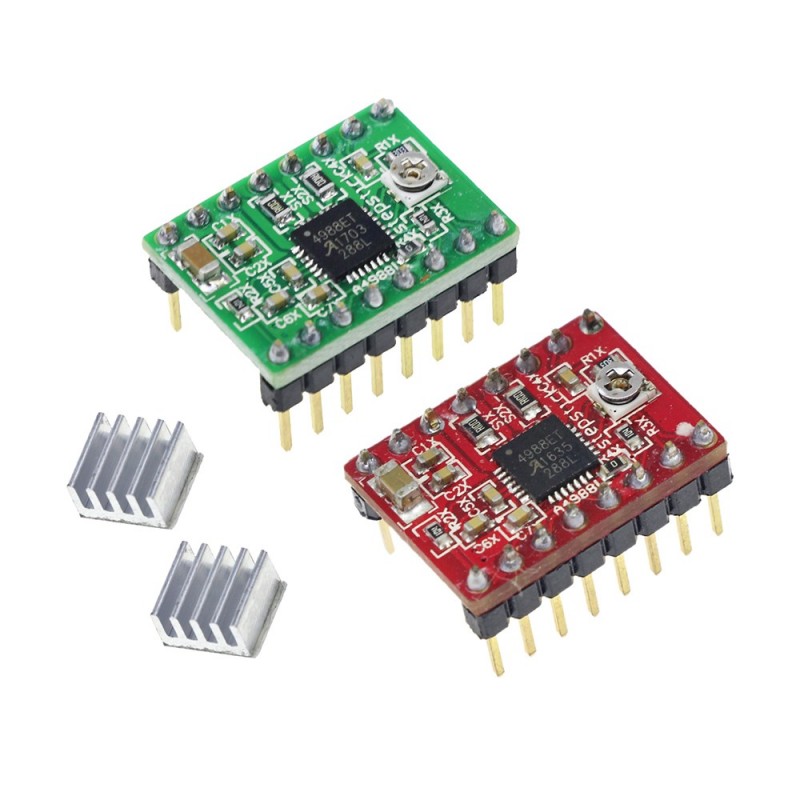
A4988 Stepper Motor
Configuration parameters
- name: (required) The name of the stepper motor.
- step_pin: (required) The STEP pin of the A4988 stepper driver.
- dir_pin: (required) The DIRECTION pin of the A4988 stepper driver.
- max_speed: (required) The maximum speed in steps/s (steps per seconds) to drive the stepper at. Note most steppers can’t step properly with speeds higher than 250 steps/s.
- sleep_pin: Optionally also use the SLEEP pin of the A4988 stepper driver. If specified, the driver will be put into sleep mode as soon as the stepper reaches the target steps.
- acceleration: The acceleration in steps/s^2 (steps per seconds squared) to use when starting to move. The default is inf which means infinite acceleration, so the stepper will try to drive with the full speed immediately.
- deceleration: The same as acceleration, but for when the motor is decelerating shortly before reaching the set position. Defaults to inf (immediate deceleration).
Sample configurations
a4988_stepper_basic
Source configuration:
1 2 3 4 5 6 7 8 9 | device:
a4988_stepper_basic:
board: nodemcuv2
mixins:
- dir_pin: D1
kind: a4988_stepper
max_speed: 250
name: test_motor
step_pin: D0
|
The rendered configuration:
1 2 3 4 5 6 7 8 9 10 11 12 13 | esphome:
board: nodemcuv2
name: a4988_stepper_basic
platform: ESP8266
logger:
esp8266_store_log_strings_in_flash: false
level: DEBUG
stepper:
- dir_pin: D1
id: test_motor
max_speed: 250 steps/s
platform: a4988
step_pin: D0
|
uln2003_stepper_advanced
Source configuration:
1 2 3 4 5 6 7 8 9 10 11 | device:
uln2003_stepper_advanced:
board: nodemcuv2
mixins:
- acceleration: inf
deceleration: inf
dir_pin: D1
kind: a4988_stepper
max_speed: 250
name: test_motor
step_pin: D0
|
The rendered configuration:
1 2 3 4 5 6 7 8 9 10 11 12 13 14 15 | esphome:
board: nodemcuv2
name: uln2003_stepper_advanced
platform: ESP8266
logger:
esp8266_store_log_strings_in_flash: false
level: DEBUG
stepper:
- acceleration: inf
deceleration: inf
dir_pin: D1
id: test_motor
max_speed: 250 steps/s
platform: a4988
step_pin: D0
|
ULN2003 Stepper Motor
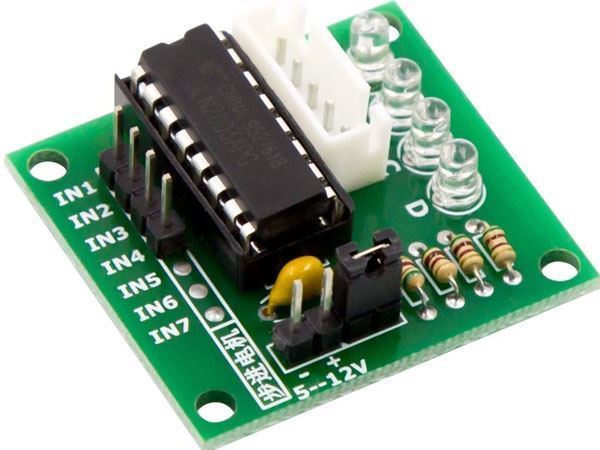
ULN2003 driver board 5-wire phase can ordinary uln2003 chip can also be connected as phase 2 can support development boards, straight plug, easy to use stepper motors used in the development board.
Configuration parameters
- name: (required) The name of the stepper motor.
- acceleration: The acceleration in steps/s^2 (steps per seconds squared) to use when starting to move. The default is inf which means infinite acceleration, so the stepper will try to drive with the full speed immediately.
- deceleration: The same as acceleration, but for when the motor is decelerating shortly before reaching the set position. Defaults to inf (immediate deceleration).
Sample configurations
uln2003_stepper_advanced
Source configuration:
1 2 3 4 5 6 7 8 9 10 11 12 13 | device:
uln2003_stepper_advanced:
board: nodemcuv2
mixins:
- acceleration: inf
deceleration: inf
kind: uln2003_stepper
max_speed: 250 steps/s
name: test_motor
pin_a: D0
pin_b: D1
pin_c: D2
pin_d: D3
|
The rendered configuration:
1 2 3 4 5 6 7 8 9 10 11 12 13 14 15 16 17 | esphome:
board: nodemcuv2
name: uln2003_stepper_advanced
platform: ESP8266
logger:
esp8266_store_log_strings_in_flash: false
level: DEBUG
stepper:
- acceleration: inf
deceleration: inf
id: test_motor
max_speed: 250 steps/s
pin_a: D0
pin_b: D1
pin_c: D2
pin_d: D3
platform: uln2003
|
uln2003_stepper_basic
Source configuration:
1 2 3 4 5 6 7 8 9 10 | device:
uln2003_stepper_basic:
board: nodemcuv2
mixins:
- kind: uln2003_stepper
name: test_motor
pin_a: D0
pin_b: D1
pin_c: D2
pin_d: D3
|
The rendered configuration:
1 2 3 4 5 6 7 8 9 10 11 12 13 14 15 | esphome:
board: nodemcuv2
name: uln2003_stepper_basic
platform: ESP8266
logger:
esp8266_store_log_strings_in_flash: false
level: DEBUG
stepper:
- id: test_motor
max_speed: 250 steps/s
pin_a: D0
pin_b: D1
pin_c: D2
pin_d: D3
platform: uln2003
|